


Spoiler
26 Options | Game Version: v1.5.12620 | Last Updated: 24-07-2026
Game: Hollow Knight
Version: v1.5.12620
Process: hollow_knight.exe (64-bit)
License Type: Steam
Date of Creation: 24-07-2026
Hotkey - Feature [Description]
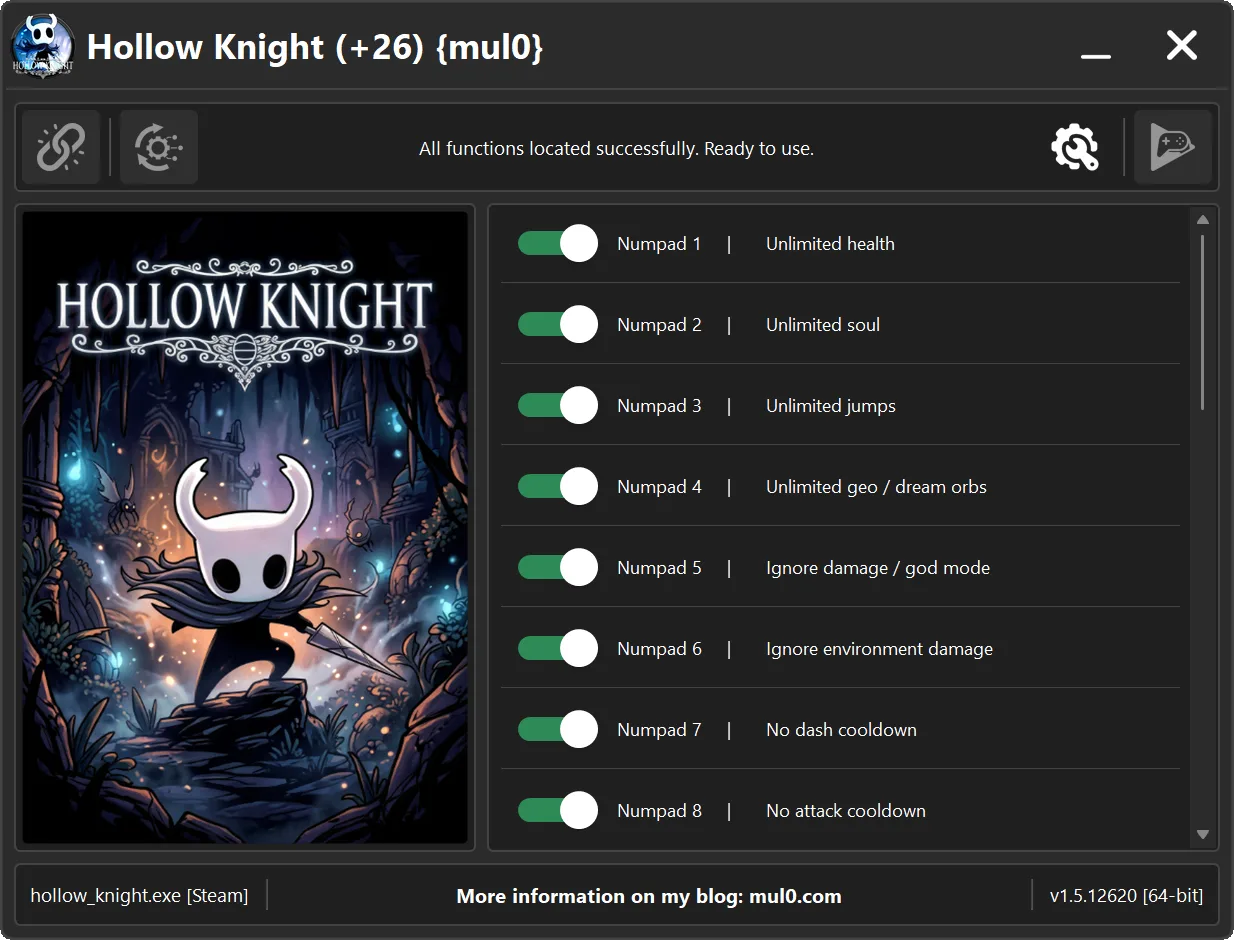
Numpad 1 - Unlimited health [Your "Health" will never drop to a fatal level, making it effectively unlimited.]
Numpad 2 - Unlimited soul [Keeps your "Soul" supply unlimited, allowing you to use spells and healing without running out.]
Numpad 3 - Unlimited jumps [Allows the player to jump an unlimited number of times without needing to touch the ground.]
Numpad 4 - Unlimited geo / dream orbs [Grants unlimited geo and dream orbs, allowing you to purchase items and abilities without resource constraints.]
Numpad 5 - Ignore damage / god mode [Prevents all incoming damage, making your character invulnerable to attacks.]
Numpad 6 - Ignore environment damage [Prevents damage from environmental hazards, allowing you to safely pass through dangerous areas.]
Numpad 7 - No dash cooldown [Removes the cooldown between dashes, allowing you to dash repeatedly without delay.]
Numpad 8 - No attack cooldown [Removes the delay between attacks, allowing you to attack continuously without waiting.]
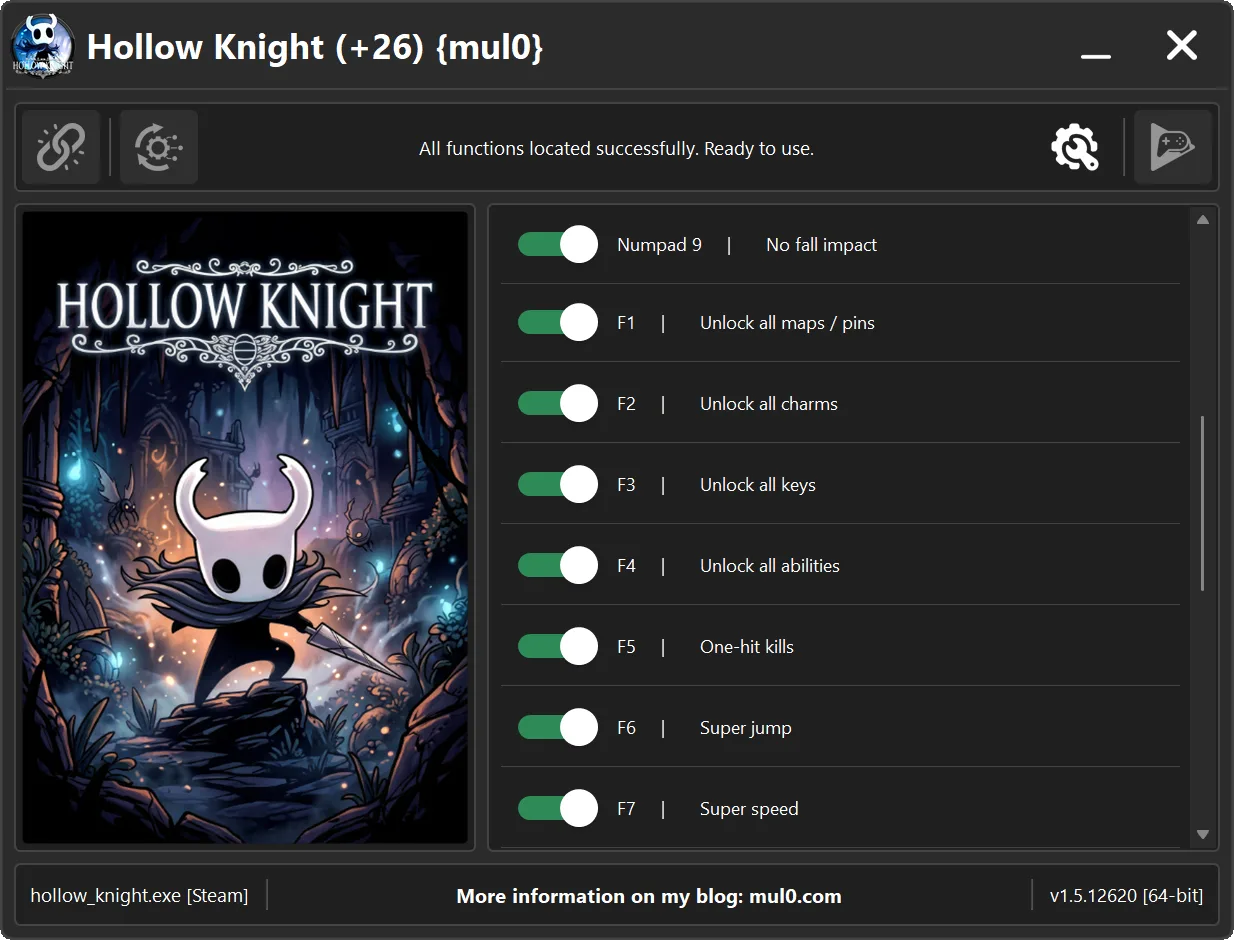
Numpad 9 - No fall impact [Removes the impact and recovery effect after falling from great heights.]
F1 - Unlock all maps / pins [Unlocks all maps, map pins, and markers, giving you access to the complete map collection.]
F2 - Unlock all charms [Unlocks all available charms, allowing you to equip and use them without having to collect them individually.]
F3 - Unlock all keys [Unlocks all available keys, allowing you to access locked doors and areas without having to obtain each key individually.]
F4 - Unlock all abilities [Unlocks all abilities, spells, nail arts, and movement upgrades, giving you access to the full range of character powers.]
F5 - One-hit kills [Instantly kills enemies with one hit.]
F6 - Super jump [Allows the player to jump higher than normal.]
F7 - Super speed [Allows the player to move much faster than normal.]
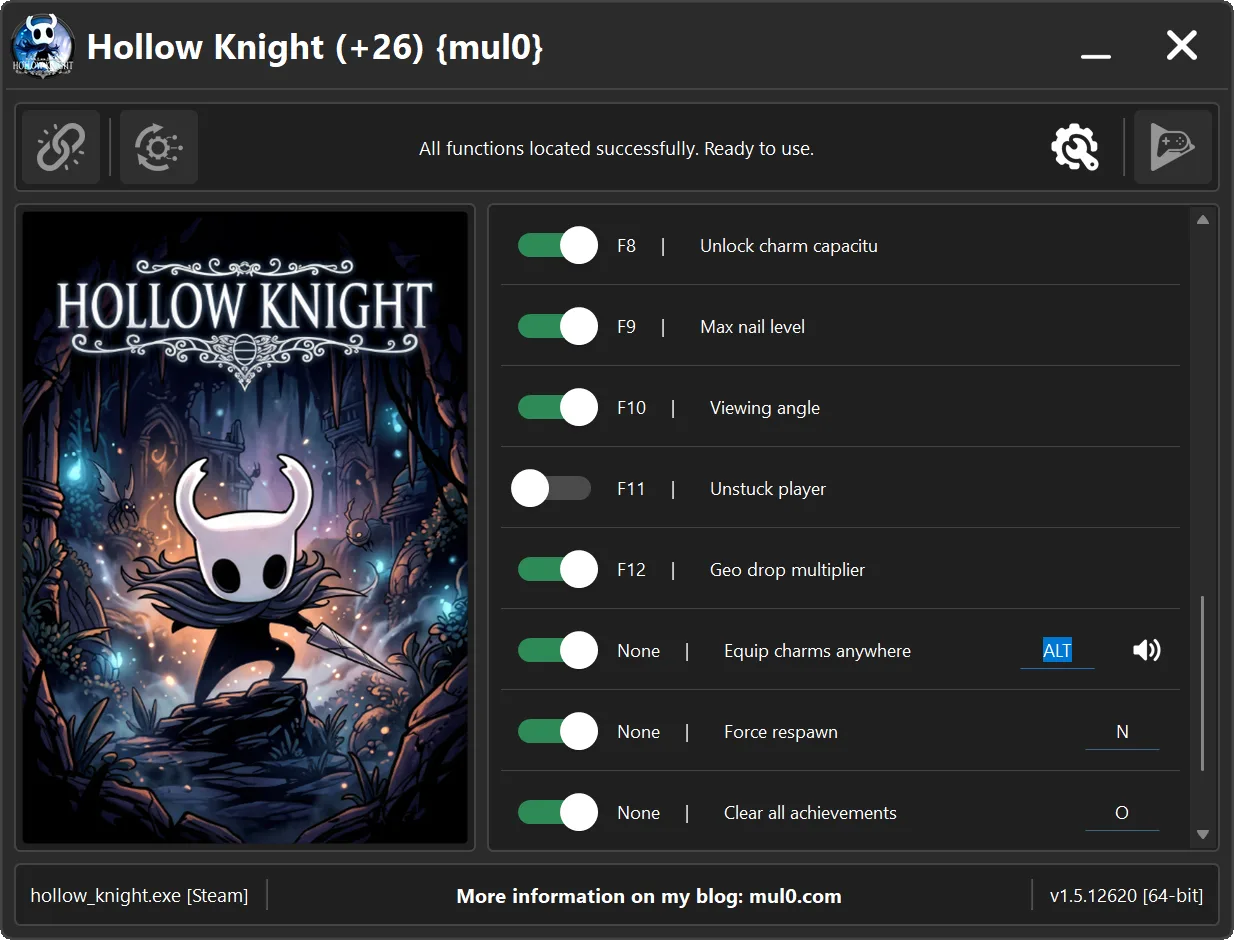
F8 - Unlock charm capacitu [Unlocks the maximum charm capacity, allowing you to equip more charms at the same time.]
F9 - Max nail level [Upgrades the "Nail" to its maximum level, granting the highest available attack power.]
F10 - Viewing angle [Increases the camera’s field of view, allowing the player to see more of the surrounding area.]
F11 - Unstuck player [Unfreezes the character if they become stuck or suspended in the air.]
F12 - Geo drop multiplier [Multiplies the amount of "Geo" dropped by enemies.]
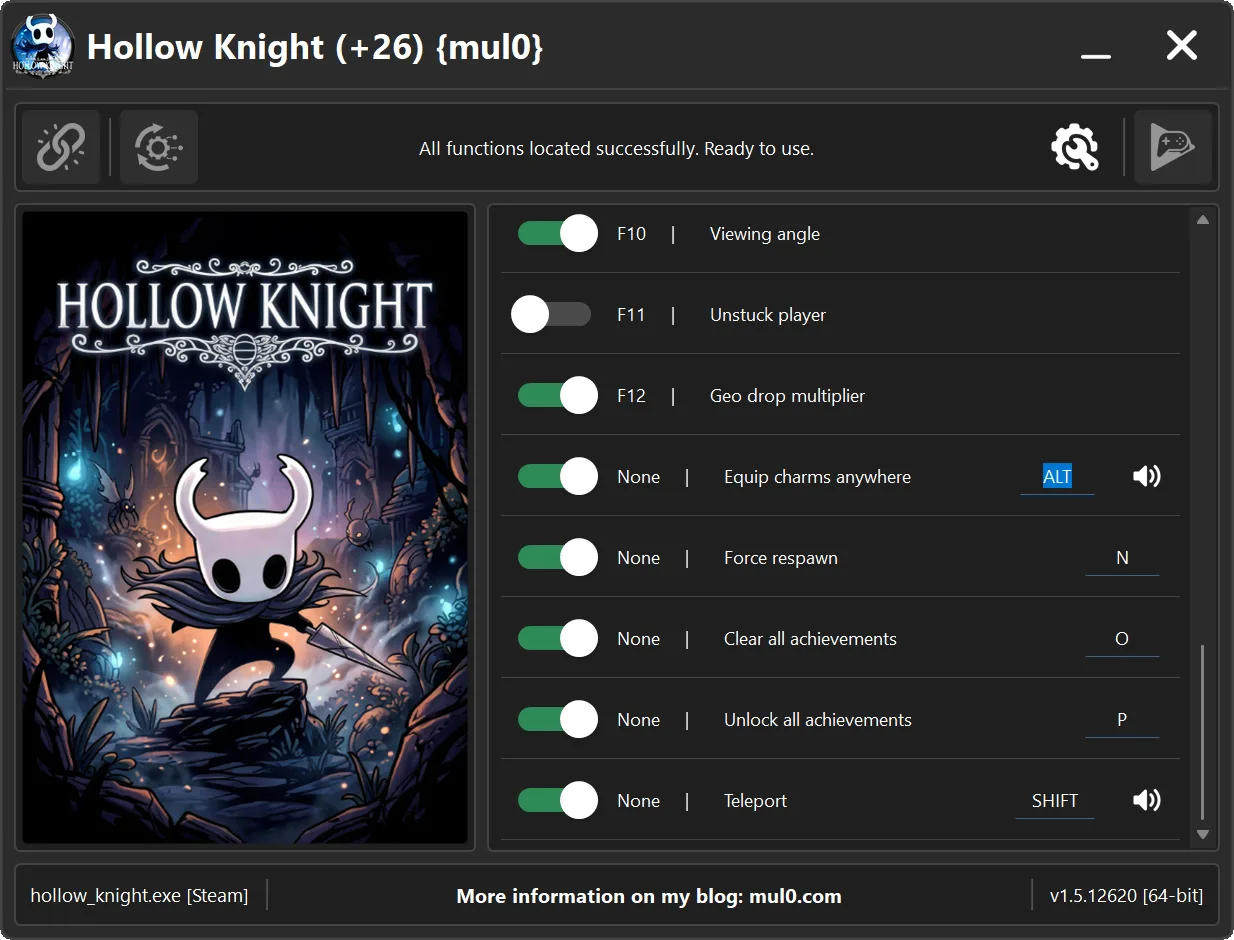
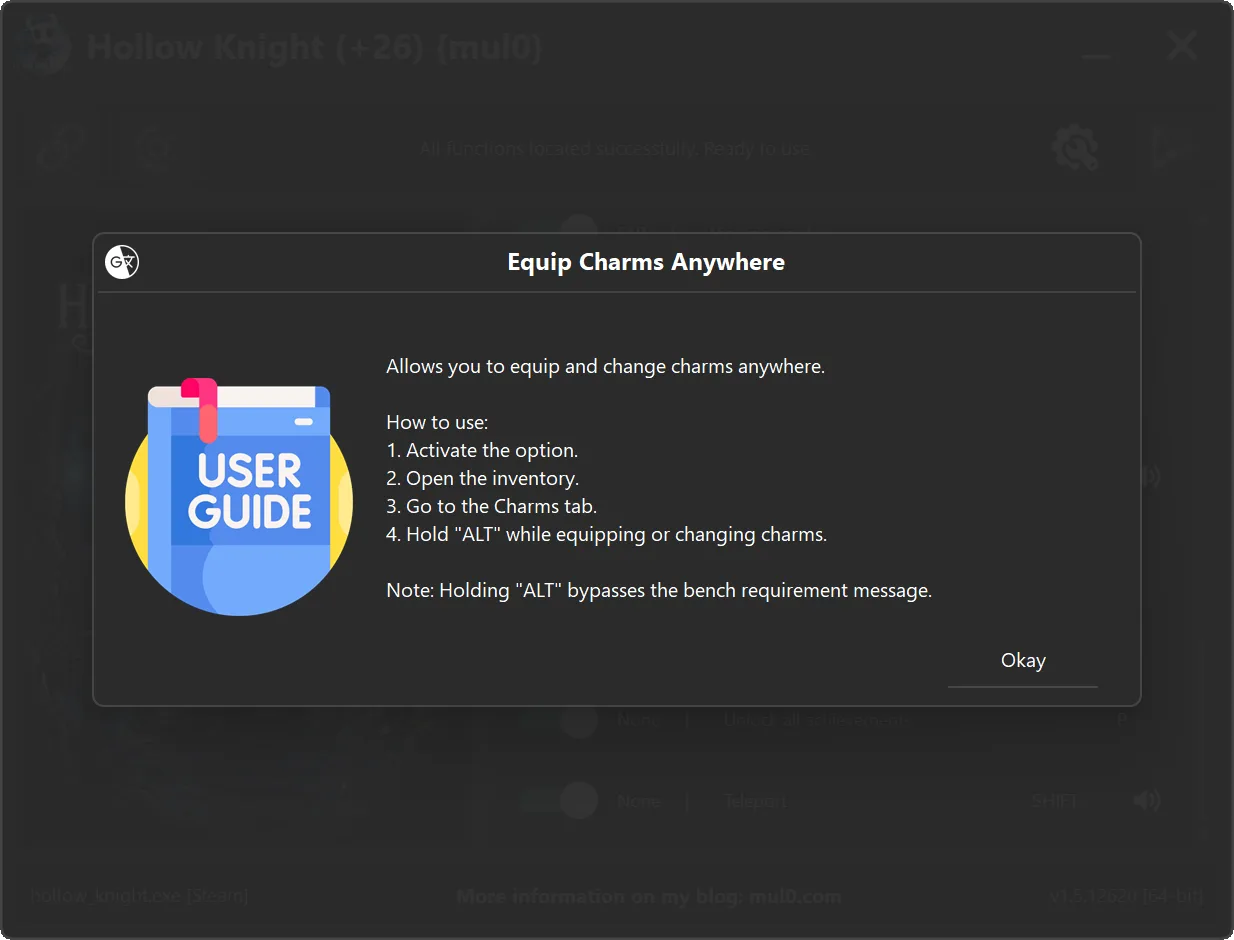
None - Equip charms anywhere - Allows you to equip and change charms anywhere. After enabling the option, open the inventory, go to the charms tab, and hold "ALT" to bypass the bench restriction message.
None - Force respawn - Forces the player to respawn at the last checkpoint.
None - Clear all achievements - Clears all unlocked achievements from the game profile and removes them from Steam.
None - Unlock all achievements - Unlocks all achievements instantly and marks them as unlocked in Steam.
None - Teleport - Allows directional teleportation. Hold "Shift" and press "W, A, S, or D" to instantly teleport in any direction.
Safety notes:
- Equip Charms Anywhere: Enable the option, open the inventory, go to the Charms tab, and hold Alt to bypass the bench restriction message.
- Teleport: Hold Shift and press W, A, S, or D for the required direction.
- No Dash Cooldown: If an enemy hits the character during a dash, the player may become stuck in a floating state.
- Unstuck Player: Press F11 to restore movement, but never use it while transitioning between locations.
- Using Unstuck Player during a location transition may move the player outside the map and remove collision.
- Achievement options: Clear All Achievements and Unlock All Achievements change achievement status in both the game profile and Steam.
Instructions:
- Copy all files from the archive to the desktop.
- Start the game and wait until it is fully loaded into gameplay (not just the main menu).
- Only after the game has finished loading, run the trainer.
- If the game process is found successfully, the connect button will become available in the trainer.
How to activate the trainer:
- To activate the trainer, click the button with the broken chain icon. It is located in the upper-left panel of the trainer interface.
- After a successful connection, you can activate and use all available features.
- During the game, press the hotkeys shown in the trainer to enable or disable features.
- Possible false alarm of your antivirus on the trainer.
- If your antivirus blocks the trainer, temporarily disable it.
Update 24.07.2026 (+26)
 Added Geo Drop Multiplier. This option multiplies the amount of Geo dropped by defeated enemies.
 Added Equip Charms Anywhere. Enable the option, open the inventory, go to the Charms tab, and hold Alt while changing charms to bypass the bench restriction.
 Added Force Respawn. This option forces the player to respawn at the last checkpoint.
 Added Clear All Achievements. This option clears unlocked achievements from the game profile and removes their unlocked status from Steam.
 Added Unlock All Achievements. This option instantly unlocks every achievement and marks the complete achievement set as unlocked on Steam.
 Significantly improved trainer performance and responsiveness, making connection, scanning, and feature activation faster and smoother.
 Important: The achievement options directly modify achievement status in both the game profile and Steam. Use them only when you intentionally want to apply these changes.
 Added Geo Drop Multiplier. This option multiplies the amount of Geo dropped by defeated enemies.
 Added Equip Charms Anywhere. Enable the option, open the inventory, go to the Charms tab, and hold Alt while changing charms to bypass the bench restriction.
 Added Force Respawn. This option forces the player to respawn at the last checkpoint.
 Added Clear All Achievements. This option clears unlocked achievements from the game profile and removes their unlocked status from Steam.
 Added Unlock All Achievements. This option instantly unlocks every achievement and marks the complete achievement set as unlocked on Steam.
 Significantly improved trainer performance and responsiveness, making connection, scanning, and feature activation faster and smoother.
 Important: The achievement options directly modify achievement status in both the game profile and Steam. Use them only when you intentionally want to apply these changes.
VirusTotal (+26)
VirusTotal (.exe):
https://www.virustotal.com/gui/file/659 ... 8c582e3edc
VirusTotal (.zip):
https://www.virustotal.com/gui/file/ff6 ... 090614a71d
VirusTotal (+21)
VirusTotal (.exe):
https://www.virustotal.com/gui/file/c9b ... 60178520c4
VirusTotal (.zip):
https://www.virustotal.com/gui/file/0f5 ... 68aa2d54ab
