[STEAM] Darksiders 3 (+19)
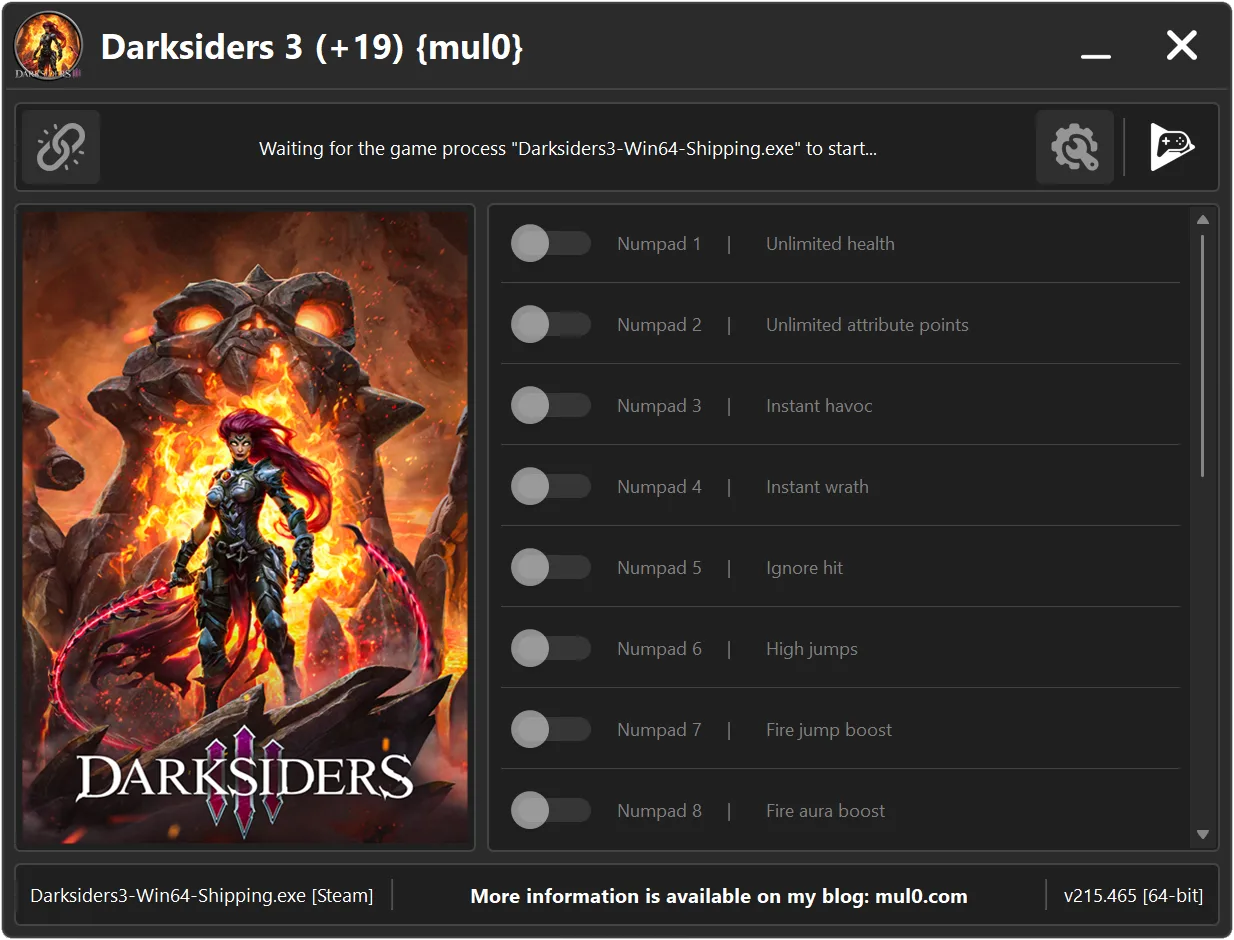
19 Options | Game Version: v215.465 | Last Updated: 17/03/26 03:08:02 PM
Game: Darksiders 3
Version: v215.465
Process: Darksiders3-Win64-Shipping.exe (64-bit)
License Type: Steam
Date of Creation: 08/02/2026
Hotkey - Feature [Description]
Numpad 1 - Unlimited health [Prevents the player from dying. Health can decrease, but it will never reach a fatal level.]
Numpad 2 - Unlimited attribute points [Unlimited points for upgrading attributes such as Health, Strength, and Arcane.]
Numpad 3 - Instant havoc [Instantly activate the Havok form, even if your energy is at zero.]
Numpad 4 - Instant wrath [Instantly use wrath abilities, even if your energy is zero.]
Numpad 5 - Ignore hit [Ignores incoming hits. Your character does not react to damage.]
Numpad 6 - High jumps [Significantly increases jump height.]
Numpad 7 - Fire jump boost [Increases the height of charged fire jumps.]
Numpad 8 - Fire aura boost [Enhances the fire aura by increasing its range and the damage multiplier dealt to enemies within the aura.]
Numpad 9 - Viewing angle [Expands the player’s field of view, allowing you to see more of the surroundings.]
F1 - Multiply souls [Multiplies the number of souls gained by 5×.]
F2 - Items no cooldown [Allows items to be used repeatedly without waiting for cooldown timers.]
F3 - Quick change of abilities [Enables fast switching between abilities such as Fire, Stasis, Storm, and Force.]
F4 - Disable item usage animations [Disables item usage animations, allowing items to be used faster.]
F5 - All items are 99 pieces [Sets the quantity of all items to 99 when you open the inventory.]
F6 - Ignore ingredients [Removes ingredient requirements for upgrading weapons.]
F7 - Faster animations [Speeds up all player character animations.]
F8 - Turn off destructible collisions [Disables collision for destructible objects, allowing you to pass through them without breaking or interacting.]
F9 - Ignore fall death [Ignore death caused by falling from great heights while holding "ALT" or "L1".]
F10 - Permanent fire skin [Keeps the "Immolation" fire effect permanently active after the skill ends. Visual effect only — no gameplay benefits.]
Instructions:
- Copy all files from the archive to the desktop.
- Start the game and wait until it is fully loaded into gameplay (not just the main menu).
- Only after the game has finished loading, run the trainer.
- If the game process is found successfully, the connect button will become available in the trainer.
How to activate the trainer:
- To activate the trainer, click the button with the broken chain icon. It is located in the upper-left panel of the trainer interface.
- After a successful connection, you can activate and use all available features.
- During the game, press the hotkeys shown in the trainer to enable or disable features.
- Possible false alarm of your antivirus on the trainer.
- If your antivirus blocks the trainer, temporarily disable it.
 Update 17.03.2026
 Major code optimization for improved performance and stability.
 Updated and refined AOB signatures for higher accuracy.
 Improved high-DPI positioning and scaling of all interface components.
 Improved memory scan engine for faster and more reliable results