[Lua] Cheat Engine – Plugin | Modern Value Changer
Posted: Fri Mar 20, 2026 2:16 pm
 Modern Value Changer — Plugin for Cheat Engine
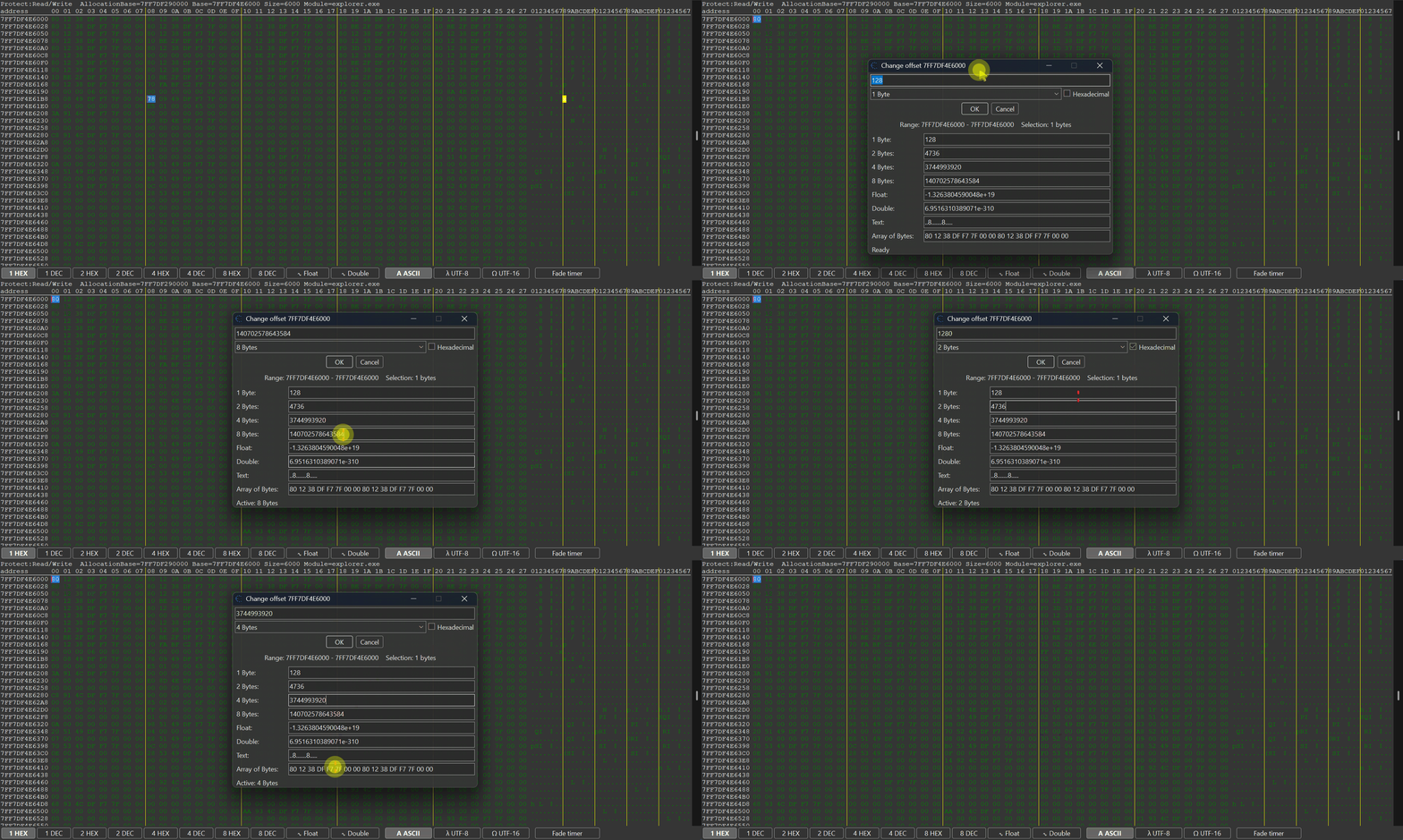
Lightweight plugin for Cheat Engine that provides a modern and convenient way to modify values directly inside the Memory Viewer.
When working with memory values during reverse engineering or game hacking, changing values quickly and efficiently is critical. Standard workflows can be slow and uncomfortable — especially when you need to test multiple values in real time.
This plugin introduces a clean and powerful solution for editing values instantly, without breaking your workflow.
 What's new ? [v1.1] [20/03/2026]
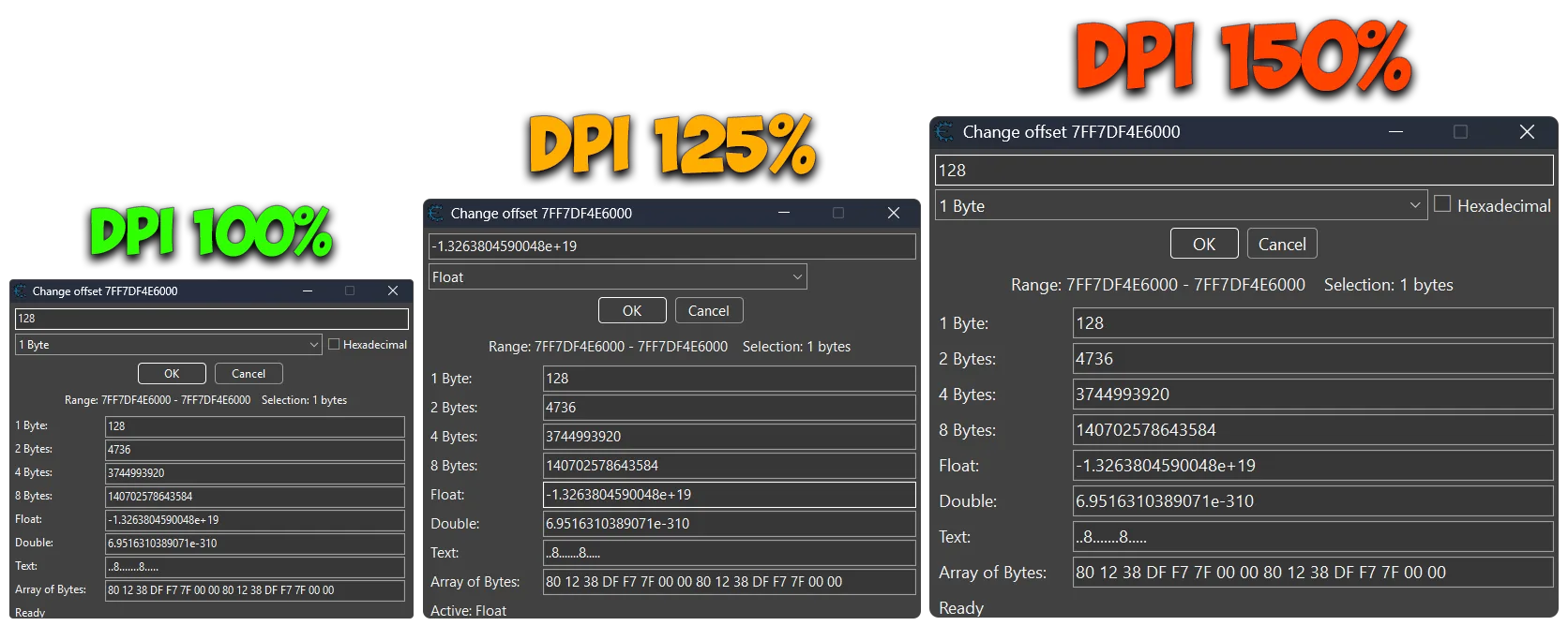
 Adjusted layout and spacing of helper fields based on DPI
 Improved DPI scaling for better appearance on high-DPI displays (tested on 100%, 125%, and 150% scaling)
 Adding transparent background to the form for a modern look
 Improved overall performance and responsiveness of the TValueChangeForm by optimizing UI updates
 Adjusted layout and spacing of helper fields based on DPI
 Improved DPI scaling for better appearance on high-DPI displays (tested on 100%, 125%, and 150% scaling)
 Adding transparent background to the form for a modern look
 Plugin Information
- Version: 1.1
- Author: mul0
- Website: https://mul0.com/cheat-engine/cheat-eng ... e-changer/
- Platform: Cheat Engine (Lua plugin)
What the Plugin Does
- Modern Value Changer enhances the Memory Viewer by adding a fast and intuitive way to modify values directly from the disassembler interface.
- Instead of switching between windows or manually editing memory, you can quickly update values on the fly while analyzing code.
 Key Features
- Instant value editing directly in Memory Viewer
- Seamless integration with disassembler
- Fast workflow — no context switching
- Lightweight and optimized Lua implementation
 Works Inside Memory Viewer
- The plugin integrates directly into the Memory Viewer, meaning:
- No extra windows
- No UI clutter
Compatibility
- Cheat Engine 6.4 or newer
- Supports x86 and x64 processes
- Works inside Memory Viewer
- Fully DPI-aware (100% / 125% / 150%) — UI scales correctly across different display settings
 Installation
- Place the “MiMemory Viewer - Modern Value Changer (v1.1).lua” file into Cheat Engine’s autorun (Cheat Engine\autorun) folder
- Restart Cheat Engine.
- Open Memory Viewer and start using the plugin.
 Feedback & Support
- Have suggestions or need help? Drop a comment below!


