[Lua] Cheat Engine – Plugin | Range Fill Tool
 Range Fill Tool — Cheat Engine Plugin
Lightweight plugin for Cheat Engine that offers a powerful and efficient way to fill any memory range with a specific value or custom byte pattern.
Instead of editing values one by one manually, this tool allows you to instantly apply repeated data across the entire selected memory region. As a result, it dramatically speeds up your workflow while significantly reducing manual effort. Moreover, it proves especially valuable in reverse engineering, debugging, and game hacking scenarios.
In addition, the plugin supports both typed values and fully custom byte patterns, which gives you exceptional flexibility for almost any use case. Furthermore, thanks to the built-in preview system, you can carefully review all changes before applying them. Therefore, you stay in complete control and easily avoid potential mistakes.
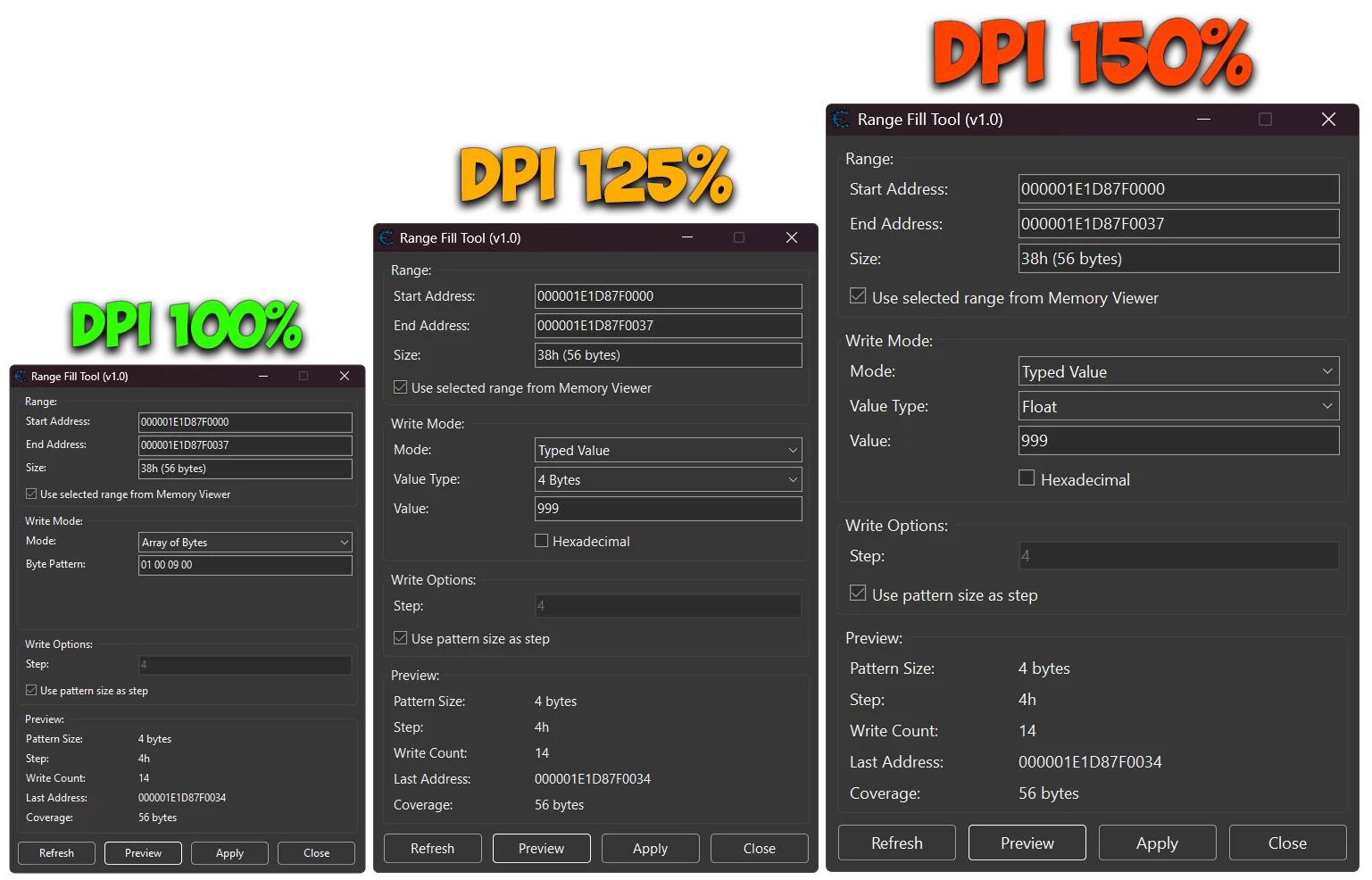
What’s more, support for custom step values unlocks advanced techniques, such as overlapping writes when necessary. Consequently, experienced users gain even more creative possibilities. Finally, the fully DPI-aware interface ensures smooth and consistent usability across different screen resolutions and scaling settings.

 Plugin Information
- Version: 1.0
- Author: mul0
- Website: https://mul0.com/cheat-engine/cheat-eng ... fill-tool/
- Hotkey: Alt + F1
- DPI Support: 100% / 125% / 150% / 175%
 Key Features
 Fill any memory range with a repeated value
- Supports Typed Values (1, 2, 4, 8 bytes, Float, Double)
- Supports Array of Bytes patterns
- Quick fill options (00 / FF)
- Auto-detect range from Memory Viewer
- Custom step control (including overlapping writes)
- Real-time Preview before applying changes
- Displays write count, last address, and coverage
- Clean and modern UI with tooltips
- Fully DPI-aware interface
 Fill any memory range with a repeated value
 What the Plugin Does
Range Fill Tool allows you to automatically fill a selected memory range with a repeating value or byte pattern.
For example, instead of manually writing: 00090001 00090001 00090001 …
You can apply it instantly across the entire memory range with one click.
 Preview System
Before applying changes, the plugin calculates:
Pattern size
Step size
Total write count
Last affected address
Total memory coverage
This prevents mistakes and ensures full control over memory operations.
 Usage
Usage
- Select a memory range in Memory Viewer (optional)
- Or manually enter Start / End Address
- Choose write mode:
- Typed Value
- Array of Bytes
- Quick Fill
- Configure value or pattern
- Click Preview
- Click Apply to execute
 UI & DPI Scaling
The plugin automatically adapts to different DPI settings:
100%
125%
150%
175%
Ensuring consistent layout and usability across all displays.
 Use Cases
- Game inventory mass editing
- Memory initialization (zeroing / FF fill)
- Reverse engineering workflows
- Structure testing
- Debugging large memory blocks
Compatibility
- Cheat Engine 6.4 or newer
- Supports x86 and x64 processes
- Works inside Memory Viewer
Installation
- Place the “MiMemory Viewer – Range Fill Tool.lua” file into Cheat Engine’s autorun (Cheat Engine\autorun) folder
- Restart Cheat Engine.
- Open Memory Viewer and start using the plugin
- Use the plugin via hotkey: Alt + F1
 Feedback & Support
- Have suggestions or need help? Drop a comment below!

