[STEAM] Yet Another Zombie Survivors (+17)
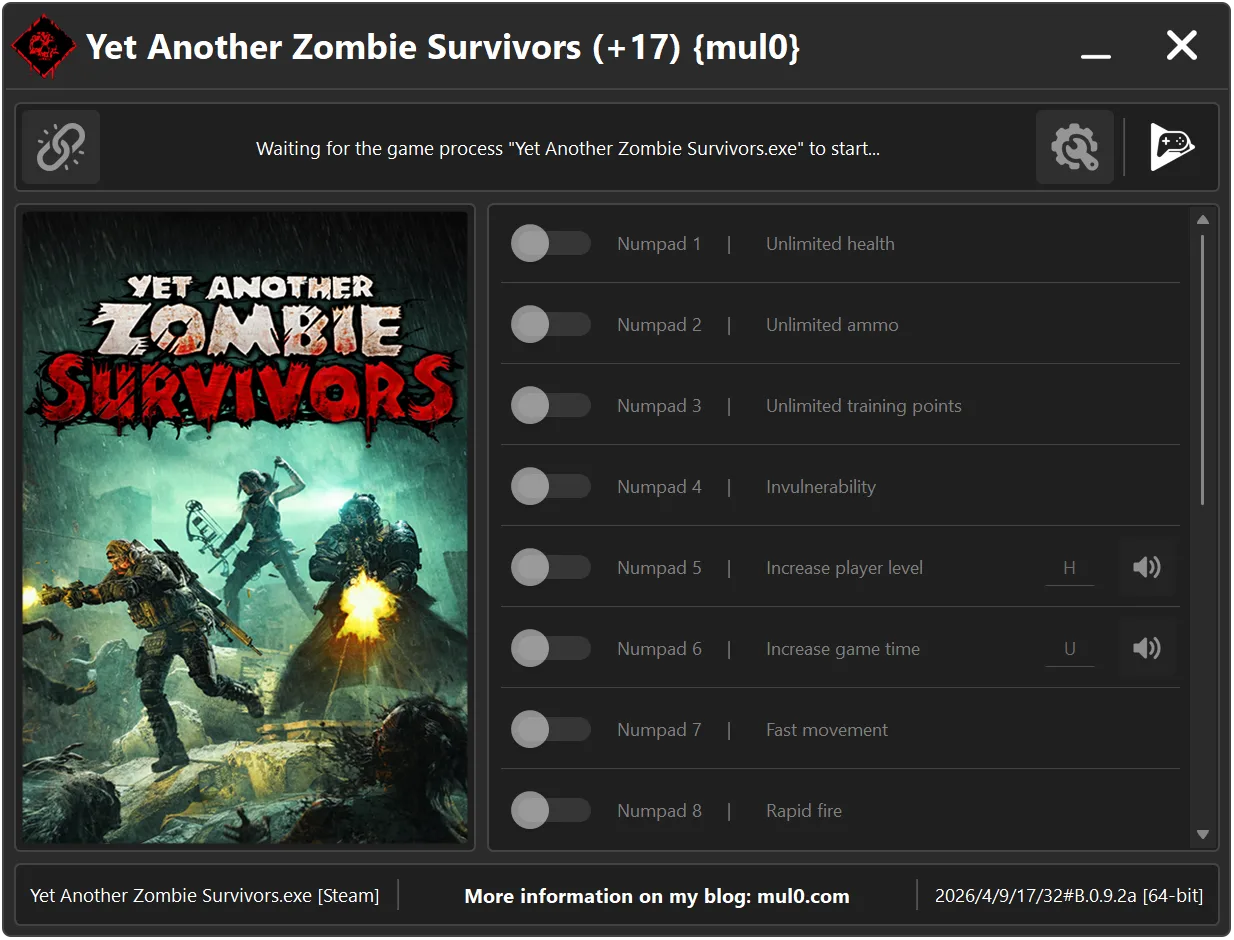
17 Options | Game Version: 2026/4/9/17/32#B.0.9.2a | Last Updated: 22/04/2026
Game: Yet Another Zombie Survivors
Version: 2026/4/9/17/32#B.0.9.2a
Process: Yet Another Zombie Survivors.exe (64-bit)
License Type: Steam
Date of Creation: 19/04/2026
Hotkey - Feature [Description]
Numpad 1 - Unlimited health [Your health will never drop to a fatal level, making it effectively unlimited.]
Numpad 2 - Unlimited ammo [Your ammunition will not decrease.]
Numpad 3 - Unlimited training points [Allows unlimited use of training points.]
Numpad 4 - Invulnerability [Makes the player immune to all damage.]
Numpad 5 - Increase player level [Press "H" to increase the player level by 1.]
Numpad 6 - Increase game time [Press "U" to increase the game time.]
Numpad 7 - Fast movement [Increases player movement speed.]
Numpad 8 - Rapid fire [Increases weapon firing rate.]
Numpad 9 - No spread [Removes weapon spread for perfect accuracy.]
F1 - Ultra damage [Greatly increases damage dealt to enemies.]
F2 - Long firing range [Allows weapons to hit targets from longer distances.]
F3 - High-speed flight of bullets [Increases bullet travel speed.]
F4 - Gold magnet [Hold "SHIFT" to pull all gold on the level towards the player.]
F5 - Reduce wave time [Press "Z" to start the next wave faster.]
F6 - Maximum character level [All unlocked characters are set to maximum level (199).]
F7 - Unlock all characters [Unlocks all playable characters.]
F8 - Super medical drone [Medical drone fires faster and has increased range.]
Instructions:
- Copy all files from the archive to the desktop.
- Start the game and wait until it is fully loaded into gameplay (not just the main menu).
- Only after the game has finished loading, run the trainer.
- If the game process is found successfully, the connect button will become available in the trainer.
How to activate the trainer:
- To activate the trainer, click the button with the broken chain icon. It is located in the upper-left panel of the trainer interface.
- After a successful connection, you can activate and use all available features.
- During the game, press the hotkeys shown in the trainer to enable or disable features.
- Possible false alarm of your antivirus on the trainer.
- If your antivirus blocks the trainer, temporarily disable it.
Video presentation of the trainer: