[STEAM] Dead Cells (+19) {mul0} [v35]
Update v1.1 (24/June/2026)
 Added No Attack Cooldown.
 Added Auto Attack.
 Added Player Aura.
 Reworked Unlimited Health. It is now more stable and affects only the player character.
 Reworked Increased Attack Speed. It is now more stable and affects only the player character.
 Reworked Stun Immunity. It is now more stable and fixes the issue where the player could not roll through special wall gaps intended for rolling into another room.
 Updated the trainer description, feature list, and hotkey information from +15 to +18.
18 Options | Game Version: v35 | Last Updated: 24/06/2026
Game: Dead Cells
Version: v35
Process: deadcells.exe
License Type: Steam
Date of Creation: 11/06/2026
Hotkey - Feature [Description]
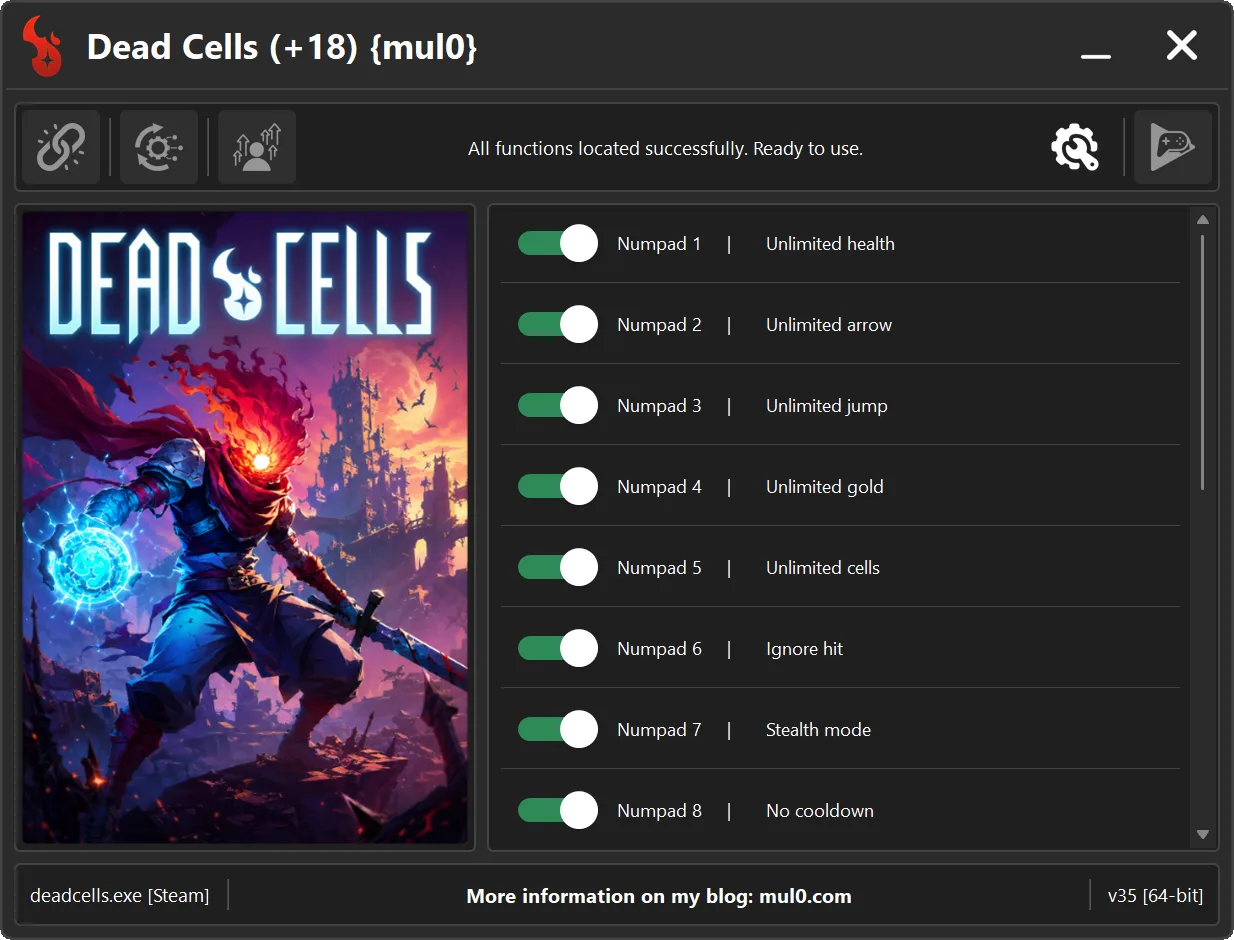
Numpad 1 - Unlimited health [Your health will never drop to a fatal level, making it effectively unlimited.]
Numpad 2 - Unlimited arrow [Provides an unlimited supply of arrows]
Numpad 3 - Unlimited jump [Allows the player to jump repeatedly without landing.]
Numpad 4 - Unlimited gold [Sets the player's gold amount to 999,999,999.]
Numpad 5 - Unlimited cells [Sets the player's cell amount to 999,999,999.]
Numpad 6 - Ignore hit [Allows to ignore damage from enemy attacks.]
Numpad 7 - Stealth mode [Makes the player completely undetectable to enemies.]
Numpad 8 - No cooldown [Allows the "Q" and "E" skills to be used without cooldowns.]
Numpad 9 - Super speed [Allows the player to run faster than normal.]
F1 - Reset world timer [Resets the world timer to 1 second. The option automatically disables itself once the timer has been reset.]
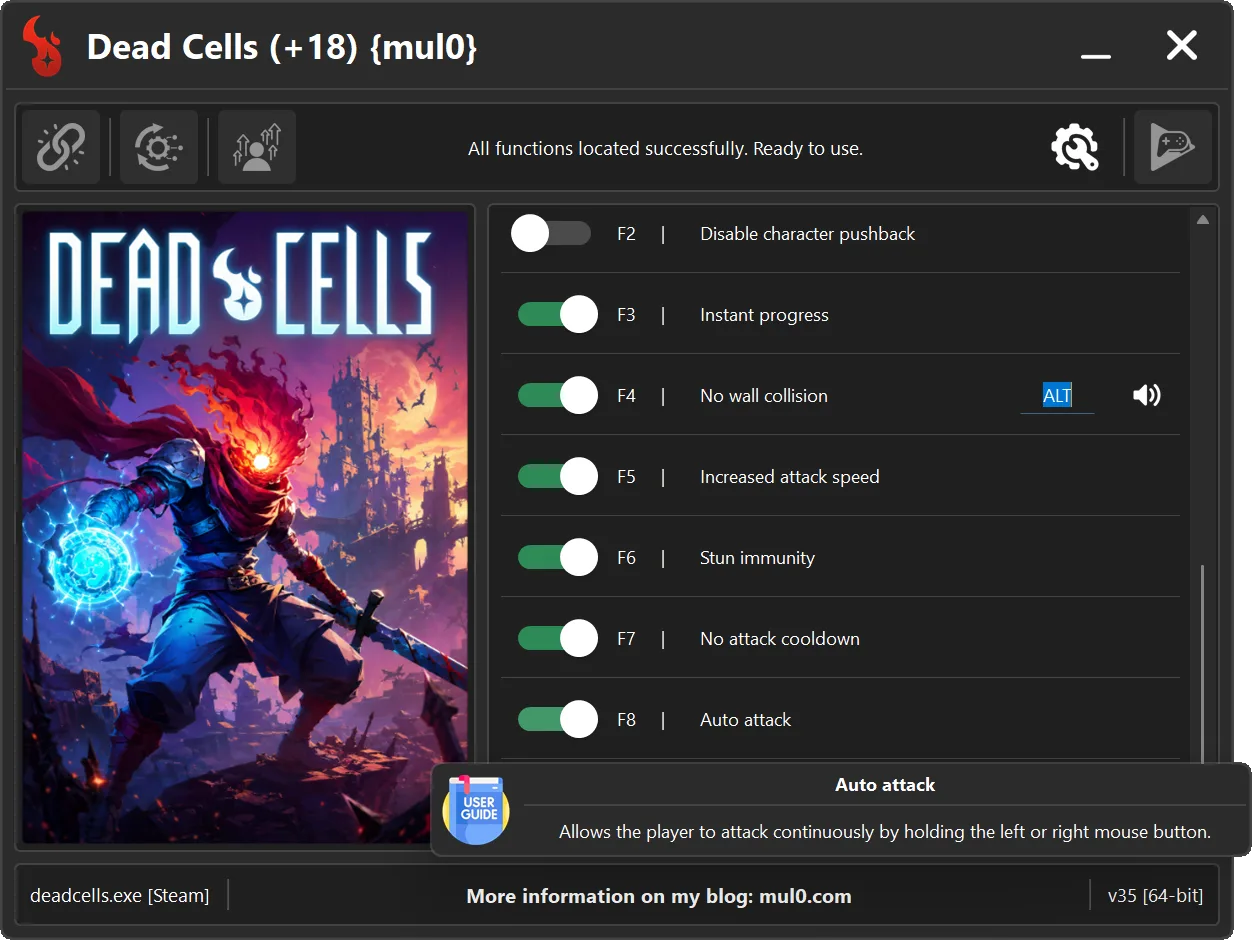
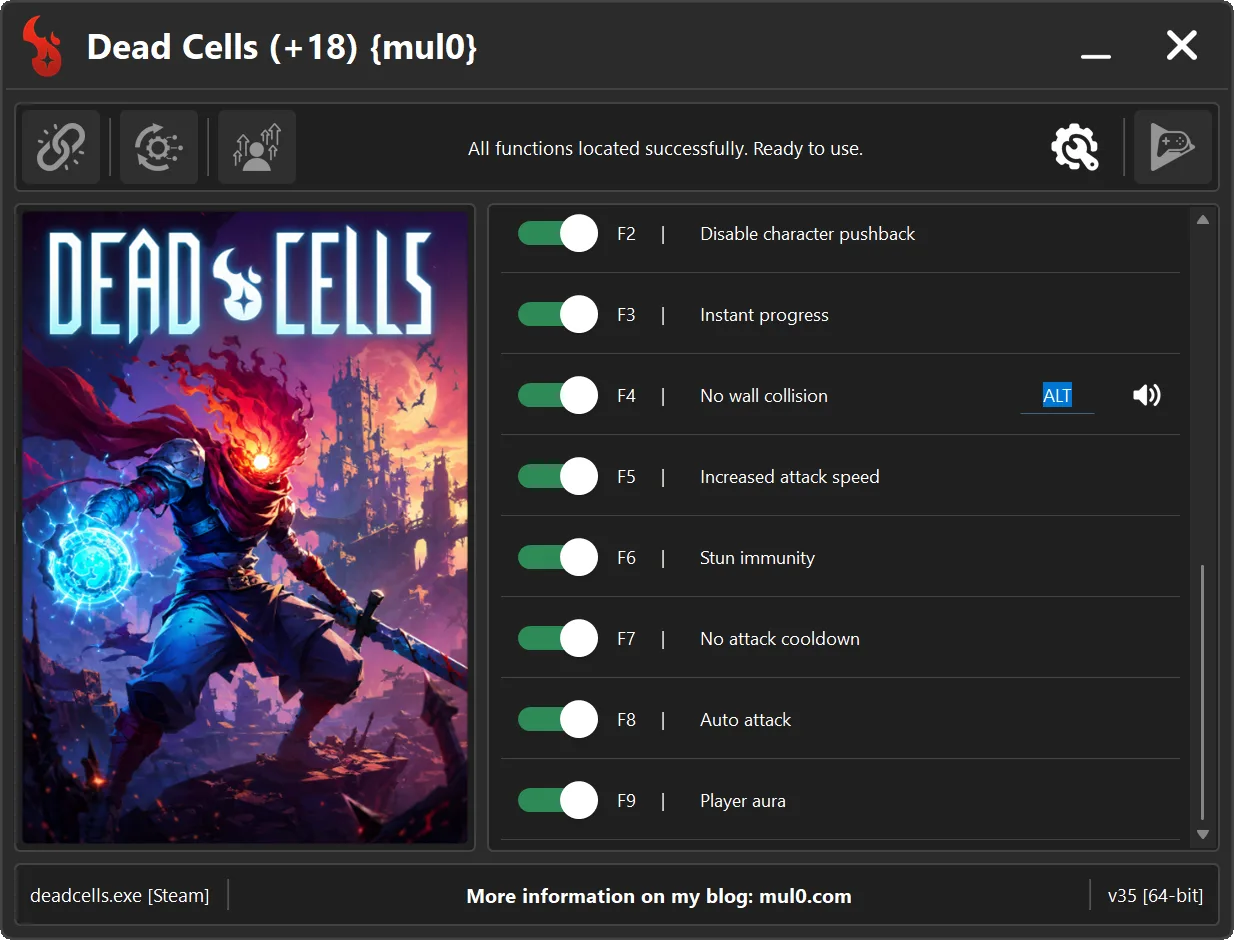
F2 - Disable character pushback [Prevents enemy attacks from knocking the player backward.]
F3 - Instant progress [Instantly completes investigation of new items, armor, or skills at the Collector.]
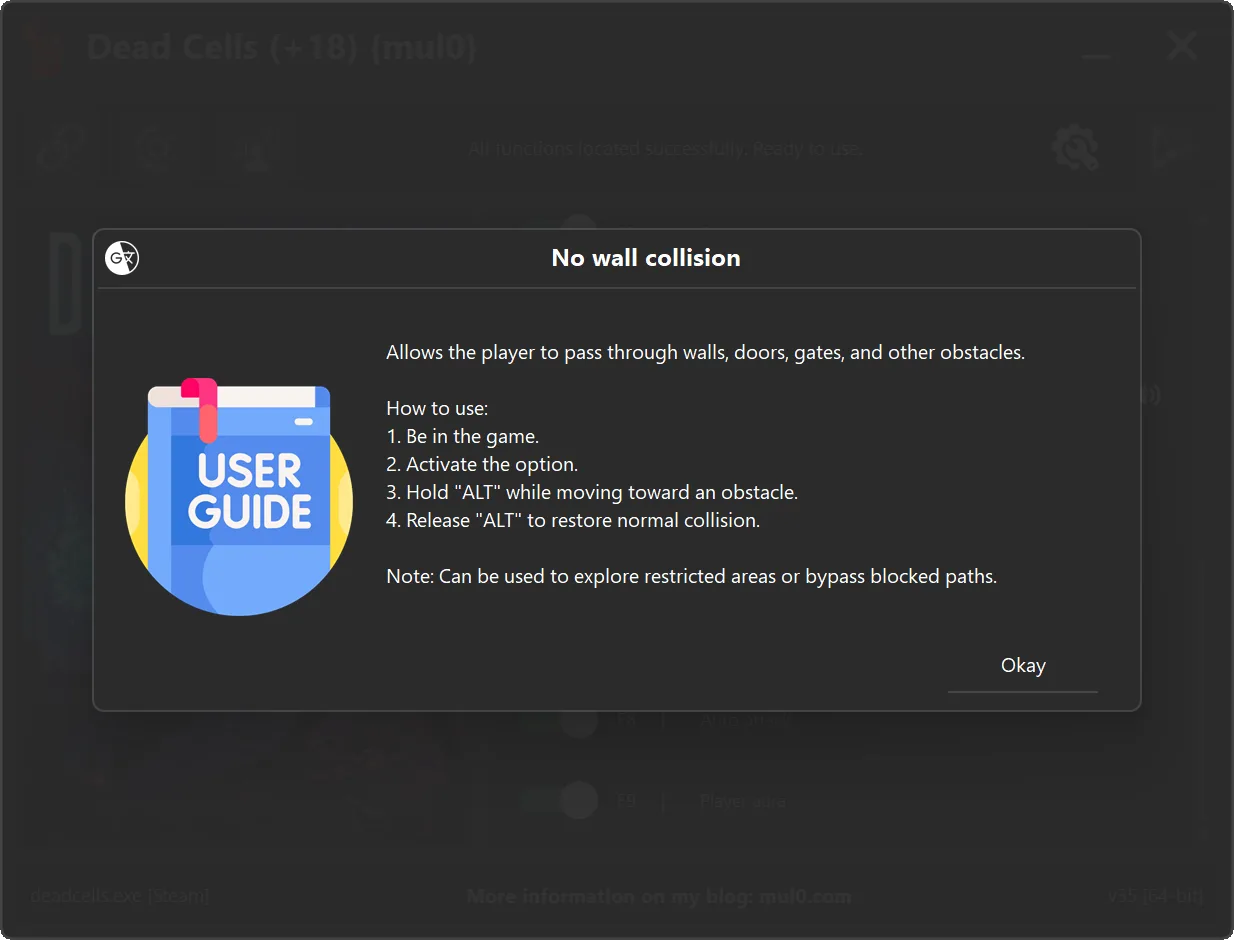
F4 - No wall collision [Disables wall collision. Hold "ALT" to pass through walls, doors, gates, and other obstacles.]
F5 - Increased attack speed [Allows the player to attack and shoot faster than normal. May also affect certain enemies.]
F6 - Stun immunity [Prevents the player from being stunned by enemy attacks or falls. May also affect certain enemies.]
F7 - No attack cooldown [Removes the cooldown between attacks and shots, allowing the player to attack continuously.]
F8 - Auto attack [Allows the player to attack continuously by holding the left or right mouse button.]
F9 - Player aura [Enables visual aura effect around the player, creating a glowing visual effect during movement and actions.]
Instructions:
- Copy all files from the archive to the desktop.
- Start the game and wait until it is fully loaded into gameplay (not just the main menu).
- Only after the game has finished loading, run the trainer.
- If the game process is found successfully, the connect button will become available in the trainer.
How to activate the trainer:
- To activate the trainer, click the button with the broken chain icon. It is located in the upper-left panel of the trainer interface.
- After a successful connection, you can activate and use all available features.
- During the game, press the hotkeys shown in the trainer to enable or disable features.
- Possible false alarm of your antivirus on the trainer.
- If your antivirus blocks the trainer, temporarily disable it.
VirusTotal (.exe):
https://www.virustotal.com/gui/file/ff0 ... 2fba2d6fe1
https://www.virustotal.com/gui/file/a14 ... ab9c40d274
VirusTotal (.zip):
https://www.virustotal.com/gui/file/0f5 ... 42c812f02e
https://www.virustotal.com/gui/file/554 ... e14789f24f
Video presentation of the trainer: