


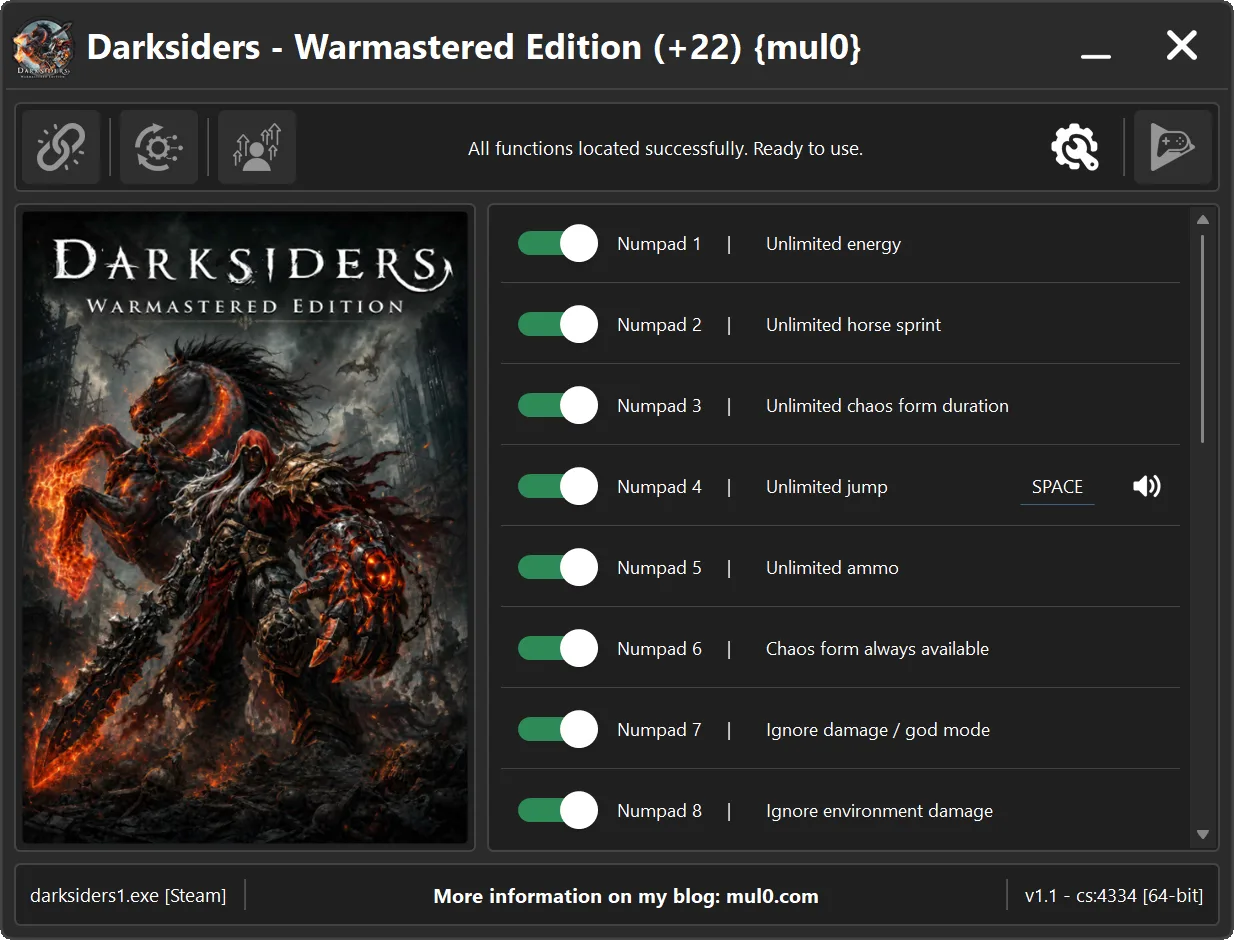
22 Options | Game Version: v1.1 - cs:4334 | Last Updated: 11/07/2026
Game: Darksiders - Warmastered Edition
Version: v1.1 - cs:4334
Process: darksiders1.exe (64-bit)
License Type: Steam
Date of Creation: 11/07/2026
Hotkey - Feature [Description]
Numpad 1 - Unlimited energy [Prevents the player's energy from decreasing.]
Numpad 2 - Unlimited horse sprint [Removes the horse's sprint limit, allowing continuous acceleration.]
Numpad 3 - Unlimited chaos form duration [Prevents "Chaos Form" from ending while active.]
Numpad 4 - Unlimited jump [Allows the player to jump repeatedly in mid-air by pressing "SPACE", effectively levitating.]
Numpad 5 - Unlimited ammo [Prevents ammunition in the weapon from decreasing, eliminating the need to reload.]
Numpad 6 - Chaos form always available [Allows the player to activate "Chaos Form" at any time.]
Numpad 7 - Ignore damage / god mode [Prevents the player from taking damage.]
Numpad 8 - Ignore environment damage [Prevents the player from taking damage from environmental hazards.]
Numpad 9 - Increased jump height [Allows the player to jump higher than normal.]
F1 - Increased dash distance [Increases the distance covered by each dash.]
F2 - One-hit kills [Instantly kills enemies with one hit.]
F3 - No fall impact [Prevents the player from being affected by hard landings.]
F4 - No dash cooldown [Allows the player to dash repeatedly without waiting.]
F5 - Rapid fire [Allows ranged weapons to fire much faster than normal.]
F6 - Souls multiplier [Multiplies the number of souls gained by the player.]
F7 - Unlock abyssal armor [Unlocks the Abyssal Armor when loading a saved game.
Activate the option, return to the main menu, and reload your save.]
F8 - Camera view angle [Increases the camera's field of view, allowing the player to see more of the surrounding area.]
F9 - Increased attack speed [Increases the player's attack speed.
Hold "CTRL" before attacking to apply the increased speed.]
F10 - Increased movement speed [Allows the player to move faster than normal.]
F11 - Increased weapon glow [Increases the intensity of the glow produced by equipped weapon enhancements, making it more noticeable.]
F12 - Weapon xp multiplier [Multiplies the weapon experience gained from defeating enemies, allowing weapons to level up faster.]
Instructions:
- Copy all files from the archive to the desktop.
- Start the game and wait until it is fully loaded into gameplay (not just the main menu).
- Only after the game has finished loading, run the trainer.
- If the game process is found successfully, the connect button will become available in the trainer.
How to activate the trainer:
- To activate the trainer, click the button with the broken chain icon. It is located in the upper-left panel of the trainer interface.
- After a successful connection, you can activate and use all available features.
- During the game, press the hotkeys shown in the trainer to enable or disable features.
- Possible false alarm of your antivirus on the trainer.
- If your antivirus blocks the trainer, temporarily disable it.
VirusTotal (.exe):
https://www.virustotal.com/gui/file/856 ... d1f35095a3
VirusTotal (.zip):
https://www.virustotal.com/gui/file/35c ... 24dc96fc5c
Video presentation of the trainer:
